
Finding & Replying to a Forwarder's Booking Request
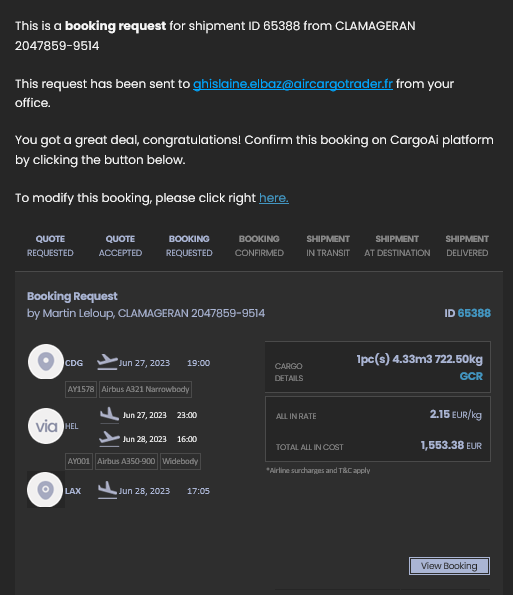
1. Locate the CargoAi email from Admin@cargoai.co in your inbox. Click HERE or VIEW BOOKING.
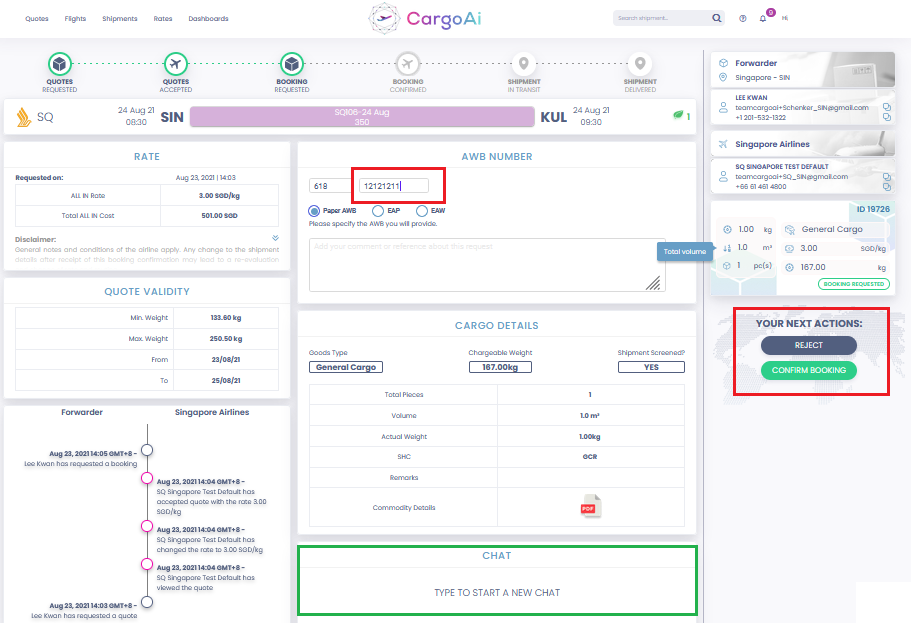
2. Add the AWB if required, then REJECT or CONFIRM BOOKING.
1. Locate the CargoAi email from Admin@cargoai.co in your inbox. Click HERE or VIEW BOOKING.
2. Add the AWB if required, then REJECT or CONFIRM BOOKING.