
Finding & Replying to a Forwarder's Quote Request
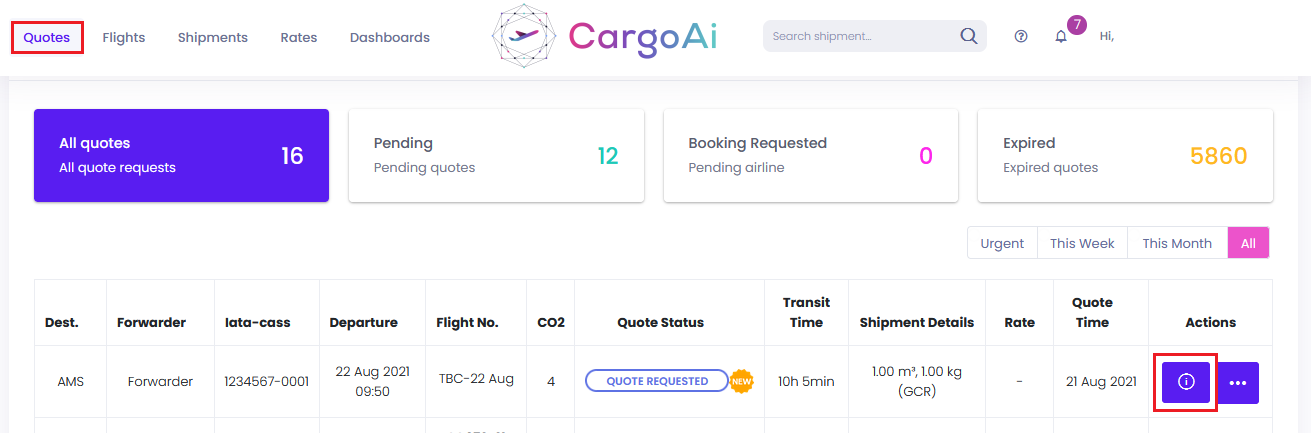
1. Login to https://app.cargoai.co, select QUOTES and click the (i) icon to view a request.
2. Use EDIT RATE, EDIT FLIGHT, then ACCEPT QUOTE or REJECT.
1. Login to https://app.cargoai.co, select QUOTES and click the (i) icon to view a request.
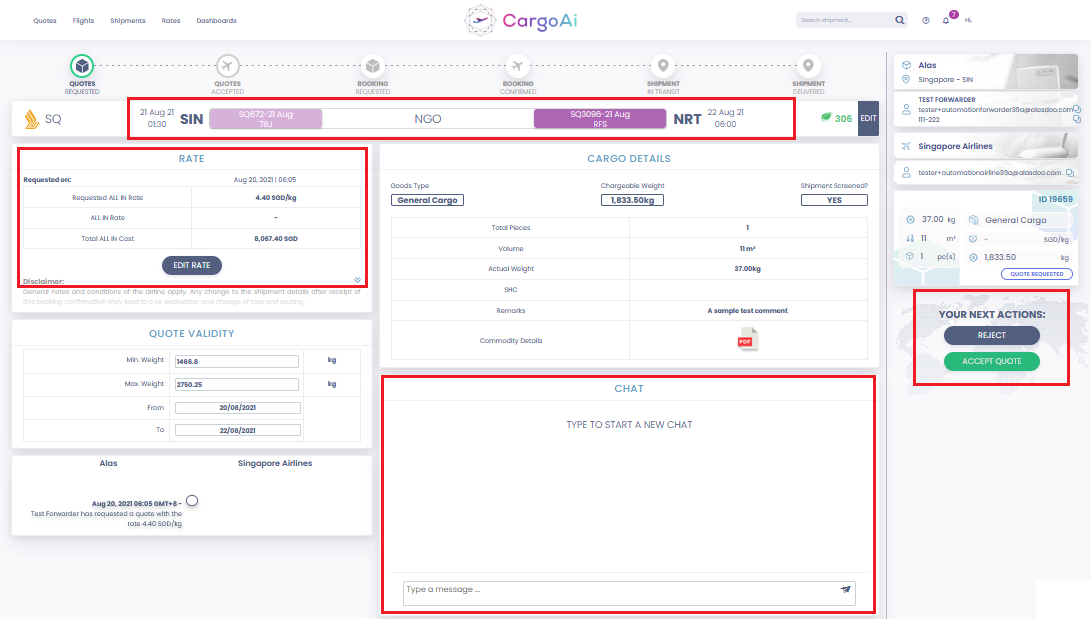
2. Use EDIT RATE, EDIT FLIGHT, then ACCEPT QUOTE or REJECT.